Automated drift tracking with an API key
Overview
Generate an API key, then pass --key to the CLI. Every run uploads a snapshot to your account and is scored against the previous one for that domain. Drift over time with nothing to save by hand.
Requires dembrandt 0.20.1 or later. Run npx dembrandt@0.20.1 --version to verify.
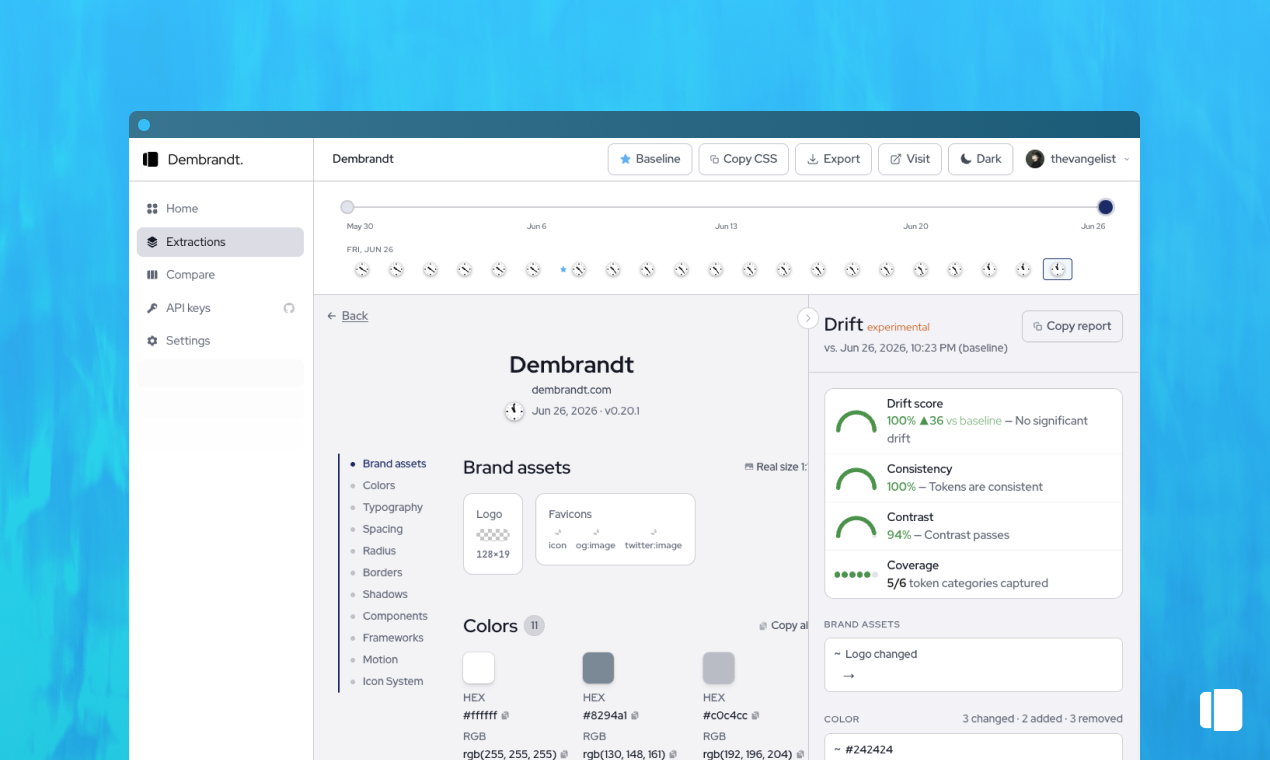
The manual baseline workflow works for occasional checks, but drift is continuous and deserves a continuous instrument. Generate an API key in the Dembrandt App under API keys, then pass it to the CLI with --key. Each run uploads the extraction to your account under the site's domain and scores it against the last stored snapshot. There is nothing to save or drag: the history lives in the cloud, grouped by domain, with a timeline you can scrub and a drift report between any two points. Wire the same command into CI so every deploy records a snapshot, and the brand gets a commit log. When a color shifts, you see which release introduced it. Keys are secret and shown once, so store them as a CI secret and never in the repo. Per-account extraction limits apply: 20 per hour, 200 per day, 500 per week.
Push a snapshot to your account
Push from a container or CI runner
One cloud snapshot per run, grouped by domain, auto-scored against the previous one. Timeline and drift report in the App, no files to manage.
More in Automation
Browse all
All recipes →
Continue reading
Getting started
Install Dembrandt and turn any public website into a complete set of design tokens in under 2 minutes. All you need is Node.js and a terminal.
MCP
Use Dembrandt as a tool inside Claude Code, Cursor, Windsurf, or any MCP-compatible editor. Your agent extracts live design tokens automatically when you ask.
Skills
43 UX and design system skills for AI agents. Install once, your agent designs with hierarchy, WCAG standards, and brand accuracy. The UX knowledge that normally costs senior consultant days.