Clone Any Website, Accurately
Overview
How to clone a website into Figma, convert HTML to editable layers, or reverse engineer a landing page in code: it is the same job, and done by eye it takes a day and still lands a few pixels and two shades off. This pipeline replaces judgement with capture wherever a measurement already exists, from full-page screenshots and the rendered DOM to design tokens read out of the computed styles. Eleven steps, each verifiable before the next. For a typical content-heavy page, twenty sections across two breakpoints, that is on the order of an hour. A single-page app with maps, canvas or authentication is a different job.
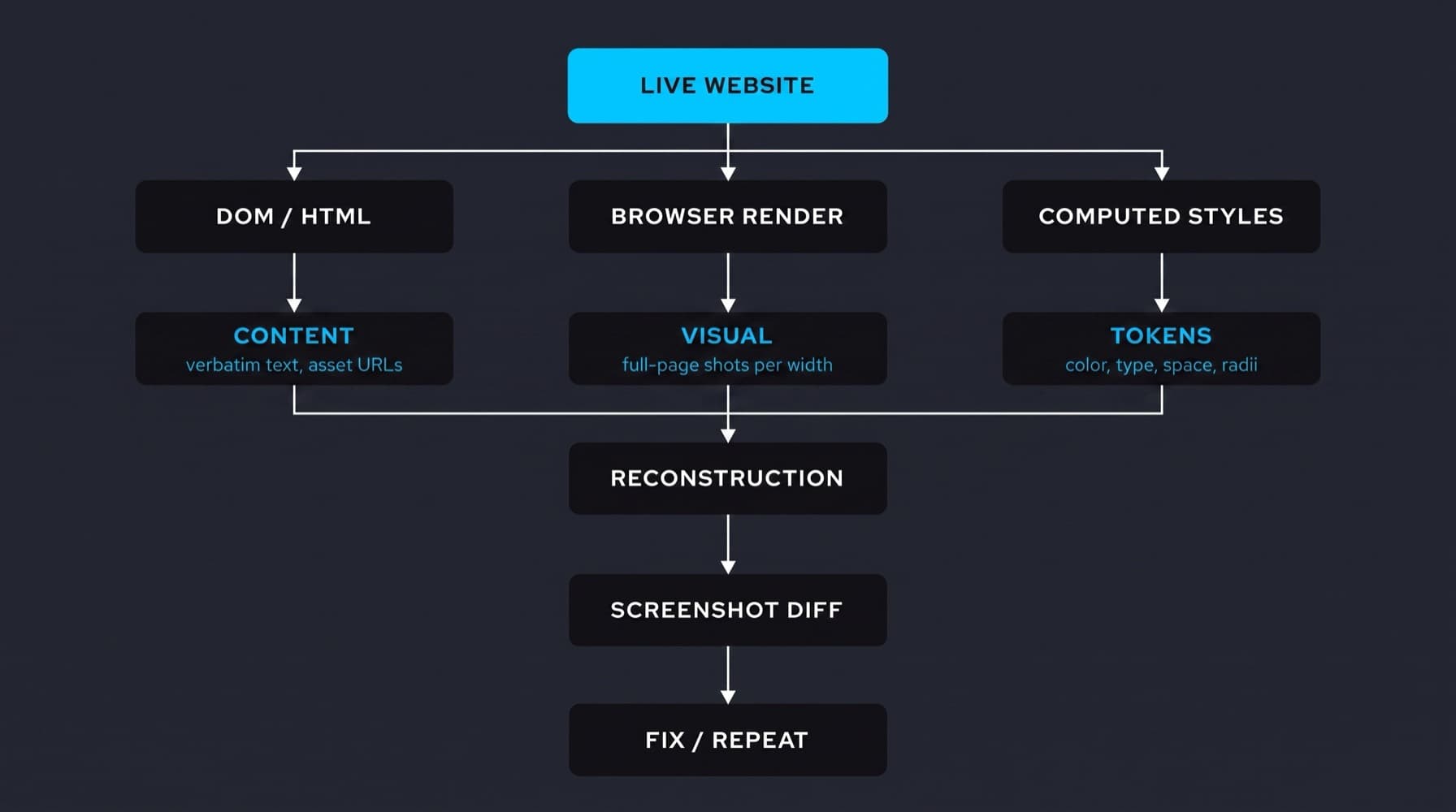
Three captures, one rebuild. Content from the markup, visual truth from the render, measurable values from the computed styles. The token branch is the one Dembrandt automates, and the screenshot diff shown here is the first of the three comparisons in step 7, not the whole verification.
One-click cloners exist. This is not that.
Paste a URL, get a site back, in seconds. A dozen products do it now, and for a throwaway prototype they are the right tool. What they return is a lookalike: it resembles the page, and nothing in the process ever checked whether it matches it. A lookalike cannot be verified, because there is no captured original to compare it against.
This method is slower on purpose and produces a different artifact: values traceable to the source, a rebuild in a design tool your team can actually edit, and a diff that says what is still wrong. Use a cloner when close enough is the requirement. Use this when someone will ask whether it is right, and you need an answer better than looks like it.
TLDR: Give me the prompt
Paste this into an agent that can drive a browser and write to your design tool. It is the whole method compressed, and the rest of the article is why each line is in it.
Rebuild this page 1:1 from measurement, not from a screenshot.

Source: <URL>

1. Capture first: full-page screenshots at 390 and 1440, the rendered DOM,
   computed styles for each section, and the asset URLs the page requested.
   Capture light and dark separately if the site follows the preference.
   Note that the page may be personalised to my IP, locale and consent state.
2. Also fetch the raw source: wget -r -l 3 -k -p -E -nc <URL>
3. Take every string, number, link and image URL from the DOM. Never retype
   and never infer a value the source states.
4. Build section by section in auto layout. After each section, screenshot it
   and compare against the capture before moving on.
5. Compare three things, not one: visual (does it look the same at each
   width), structural (sane containers, no pinned coordinates), semantic
   (words, numbers, links and variants match the source).
6. Report what you could not resolve rather than guessing: CSS backgrounds,
   carousels, fonts you cannot load, values that differ by variant.

Fonts: use a metric-compatible stand-in, list the real families at the end.
When a fix is a judgement call, give me two or three versions of that one
section and wait for me to say which is right and why.
Why production keeps having to end up in Figma
Something that exists in production has to end up in Figma. That used to be the natural direction of travel: the design file came first, the code followed. In an agentic workflow the order has flipped. Code moves daily, and ideas land there first.
Figma is now the bottleneck. Not through one failing, through accumulation: the file grows, the variables multiply, the component library develops its own maintenance surface. No design team running alongside a shipping product stays current with production by hand, the file drifts, and a drifted file is not a reference anyone trusts. The pressure then lands on the designer, for a gap they did not create.
Nobody should have to move into a coding agent to get their own product available to them one to one, in the environment they think in. Automate this and no person has to be the integration. Which is still an argument for designers picking up agentic tools, for the opposite reason people assume: not to write code, but to stop waiting on someone who does.
None of which is a case against Figma or the people who are genuinely good at it. That craft is rare and it is deep, and it is plausibly the reason the company keeps its value: there is a school of practitioners whose knowledge stays relevant no matter how much of the drawing an agent takes over. The bottleneck is the maintenance work nobody chose, not the expertise.
The page you are copying already states its own answers. The type scale is declared, the palette is declared, the spacing sits in the computed styles. Rebuild by eye and all of it gets re-derived from a picture. Every step below moves one more decision from estimation into extraction.
Decide before you capture
- Widths. Two is usually the design target: 390 mobile and 1440 desktop. Real devices then open the same page at other pixel ratios, with browser chrome eating height, so the two widths are what you design to, not what you will see.
- Theme. If the site follows the light and dark preference, that is two different rendered pages. Capture both, or say out loud that you are copying one of them.
- Personalisation.Your IP reaches the site before you do, and with it the country, the language, sometimes the currency and the price. Consent choices and cookie state go the same way. You cannot tell what was tailored to you, so what you capture is one visitor's view of the page, not the page. Check it from a second location before you trust it.
1.Capture what the browser actually shows
Drive a real browser, agentically, and take four things at once: full-page screenshots at the two widths designs are actually made for, 390 for mobile and 1440 for desktop, plus the rendered DOM, the computed styles of the sections you care about, and the asset requests the page made. On a client-rendered page this is the only capture that contains anything at all.
Rendered state is the specification, not the file the server sent. Framework rendering, API data, session, feature flags, viewport and A/B branches all sit between the two.
2.Take the raw source as well
The source is still worth having, because markup carries text verbatim and names every asset URL without a screenshot in the loop. Recurse three levels, convert links so the copy opens offline, fetch page requisites, give files real extensions, skip what is already on disk.
Span hosts is left out on purpose: CDN assets stay unfetched, their URLs are in the markup, and they get downloaded directly at step 5. And wget does not run JavaScript, which is exactly why it is the second capture here rather than the first.
3.Import it rough, and do not ship that
An extension plus a plugin drops the live DOM into Figma in one pass. Fonts will be missing, layout will be absolute positioning throughout, and anything JavaScript rendered arrives incomplete. What you get is accurate geometry and real text in the right places: a measurement, not a result. The failure mode is that it looks finished, so people ship it.
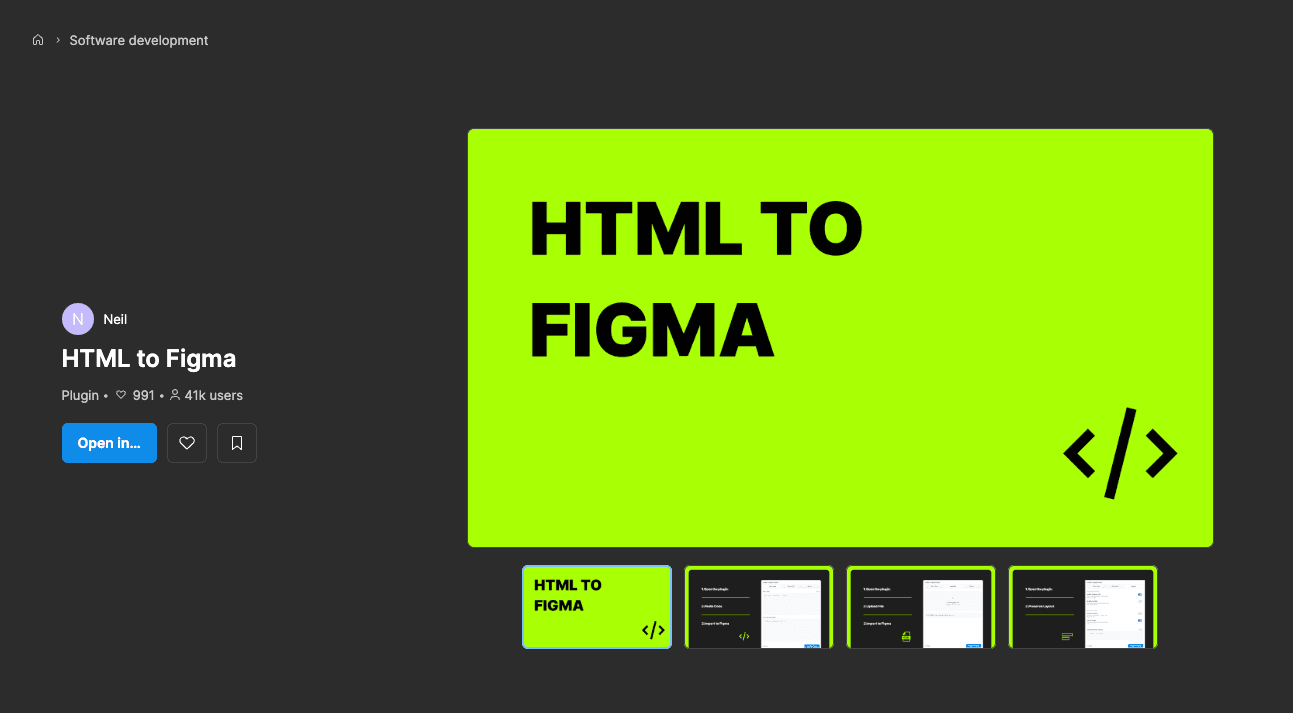
Importers of this kind pull the live DOM into a Figma file in one pass. Tracing paper, at production accuracy.
4.Brief the model with every input at once
Screenshots, URL, captured DOM and source, and a link to the Figma file with the import in it, then write access to that file. Screenshots without markup invent spacing, and markup without screenshots misses what is visible. State the finish condition in one sentence: a 1:1 copy at desktop 1440 and mobile 390, side by side, everything else deleted.
5.Take content and images from the capture
The model parses headings, body copy, technical values, lists, document links and the footer out of the DOM, then downloads every referenced asset, which on a content-heavy page is dozens of images plus video thumbnails. They go into Figma as real image fills through the MCP upload. Nothing is retyped, so nothing drifts.
6.Build section by section
Two auto layout frames, one section at a time: header, hero, feature rows, data tables, related items, media, testimonials, documents, FAQ, footer. Compare after each one, so wrapping errors get fixed while the diff is still one section wide. A rebuild judged only at the end gets judged once, badly.
7.Compare three things, not just the picture
Visual: does it look the same at each width. Structural: is the layout built out of sane containers rather than pinned coordinates. Semantic: are the words, links, numbers and variants the ones the source states.
The third is the one people drop, and it is the one that matters most. A perfect visual copy can carry wrong data, and it will pass every screenshot comparison you run against it.
8.Fix what the importer could not see
Some errors are structural blindness rather than degradation: a hero using a different image from the gallery because it is a CSS background, video thumbnails in the wrong order, two cards whose values differ by variant and get copied from each other. None of them look like errors in the import. They look like a page that says something untrue.
9.Build on a stand-in font, swap it at the end
Licensed foundry fonts usually cannot be loaded in an automated environment, and a lookalike is the wrong answer because it moves every line break you are about to verify. Build on a metric-compatible stand-in, then swap to the real face at the end with one find and replace.
10.Fix by targeted prompt, not by rerunning the job
Every remaining error is local, so the instruction has to be local too. Name the section, name what is wrong, name the source value: this card is 4px tighter than the original and the label wraps, the source says 16 not 14. Rerunning the whole rebuild to fix one card costs the hour again and moves the errors somewhere new.
Where the fix is a judgement call rather than a value, ask for two or three versions of that one section and put them side by side. Then say which one is right and say what made it right, because that sentence is what the model applies to the next section instead of guessing again.
11.Throw the import away
Import gone, staging assets gone. Two frames left, named layers, icons as vectors, not one absolutely positioned element. If the import is still in the file, the file is still a draft.
Why this works
HTML and screenshots together beat either one alone, and both beat an import. Not because the model reads markup well, but because with the source in hand it checks every value against something authoritative instead of inferring it from a picture. Almost no time goes into deciding what things are, only into placing values that were already known.
Combine sources instead of picking a tool
Every tool here solves one slice and stops. Figma ships its own browser extension that captures a page into editable layers, and it beats a screenshot pasted into a frame. It is still one input, bounded by what the browser painted.
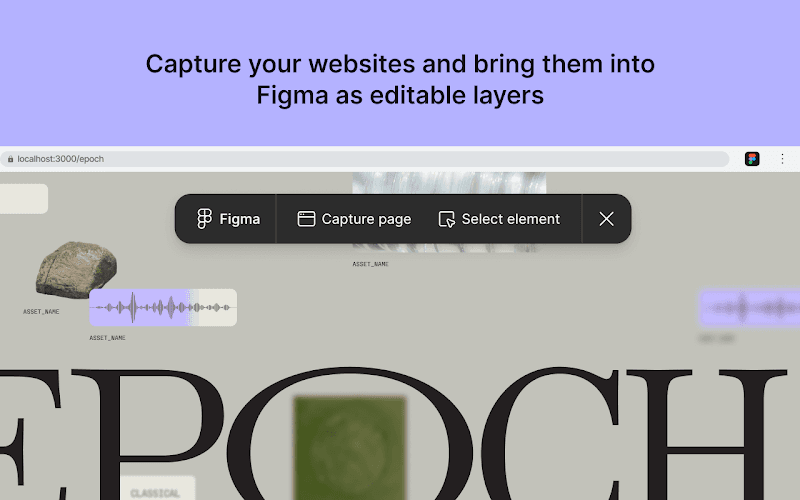
Capture a page, or one element, into Figma as editable layers. A strong input, and one of several.
A page is CSS and HTML plus what JavaScript does to them at runtime, and no single capture covers all three. Browser observation gives the rendered result and the computed values, the source gives the exact words, an extension capture gives editable layers to check geometry against.
Cross-checking is the other half. Models fail in different places, so feed one model's output to another and collect the result in one place. Grok, ChatGPT, Gemini and Qwen disagree usefully about which colour is the accent or whether two values are genuinely different. Disagreements are the signal. Where they agree, stop looking. Through MCP the assembled context then goes to a Figma file, a Penpot project, or straight into a codebase as components.
The same pipeline without Figma
Only the rebuild step cares what the target is. The measurement step is where Dembrandt fits, and its job is not copying a page: it turns a shipped interface into measurable design system data. It loads the page in a real browser, reads the computed styles of every rendered element, then clusters the values into a palette, a type scale, spacing, radii and component patterns and writes them out as W3C design tokens. Computed styles, not stylesheets, so a value overridden by application CSS or a theme script is reported as what the visitor actually got.
That output is the brief, and the same data serves an audit, a Figma sync or a regression check. It also gives you the verification pass free: extract the original, extract your rebuild, compare the token sets. The difference is your remaining work, stated as a list instead of a feeling. The first run takes two minutes, the Explorer shows the output for brands you already know, and DESIGN.md covers handing it to an agent. The command-only version of this article lives as a recipe, and the whole method is installed as the clone-website skill.
What copying is and is not for
Reproducing a page is research. Teardowns, redesign baselines, migration references, and regression checks against your own site. The last one is the most undervalued: the fastest way to learn whether production still matches its design system is to extract it and compare.
Shipping someone else's layout, copy or brand as your own is a different act, and the pipeline being fast does not make it a better idea. Respect robots.txt and terms of service. Use the result to understand a design, not to inherit one.
The one rule
If the page states a value, read it. If it does not, and only then, decide it. A rebuild done that way is finished when the diff is empty, which you can check, rather than when it looks about right, which nobody can.
Related
Extract a design system
Three ways to get a design system out of a live site: by hand in DevTools, from the codebase, or from the rendered page. What each one reads, what each one misses, and how long it takes.
Design & DevelopmentDESIGN.md
DESIGN.md is a readable hint, not a token. It works for prototypes and solo projects. Real design systems need structured, machine-readable token schemas that survive across tools, platforms, and team sizes.
CLI QuickstartGetting started
Install Dembrandt and turn any public website into a complete set of design tokens in under 2 minutes. All you need is Node.js and a terminal.