Slack alerts for design drift

Design of dembrandt.com · Production · deployed 1 min ago · 9a04c7e
+ New accent color · #F59E0B
− Footer social icons removed
~ Hero background · #0D0D0D → #000000
Design of dembrandt.com · Production · deployed 5 min ago · 2c88e1a
+ New badge color · #22C55E
Design of dembrandt.com · Production · deployed 30 sec ago · 71bf4de
~ Body font size · 1rem → 0.9375rem
~ H1 font size · 2.25rem → 2.5rem
Overview
Design drift shows up where your team already looks: Slack. dembrandt --compare catches drift and fails the build, and this recipe posts the report as a normal message in your existing channel, no new tool to check. Works on a PR-preview drift gate or a plain production deploy workflow: you only need a committed baseline and a site URL to compare against it.
- 1
Create a new Slack app
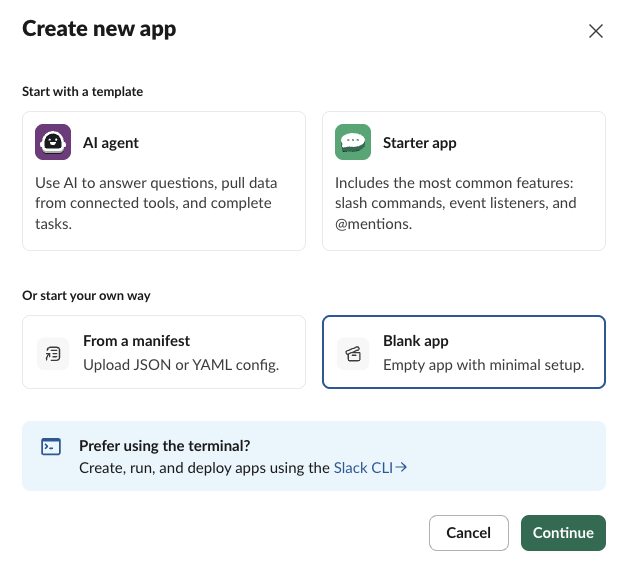
api.slack.com/apps → Create New App → Blank app. Skip the templates. A one-way webhook needs no slash commands or listeners.
- 2
Name it and pick a workspace
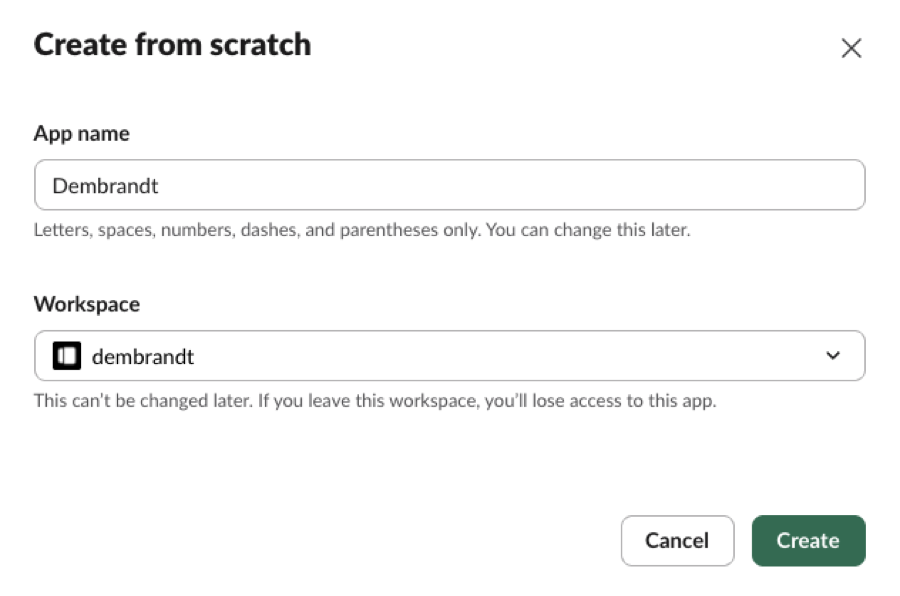
Name it how you wish. Pick the workspace it should post into.
- 3
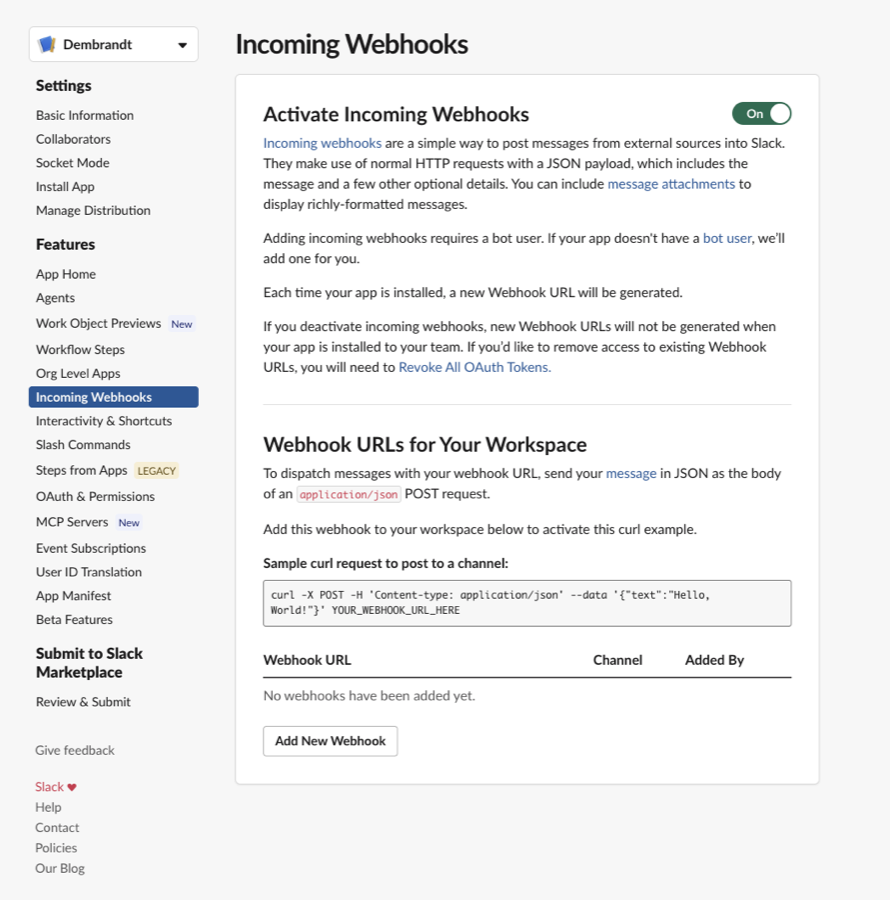
Turn on Incoming Webhooks
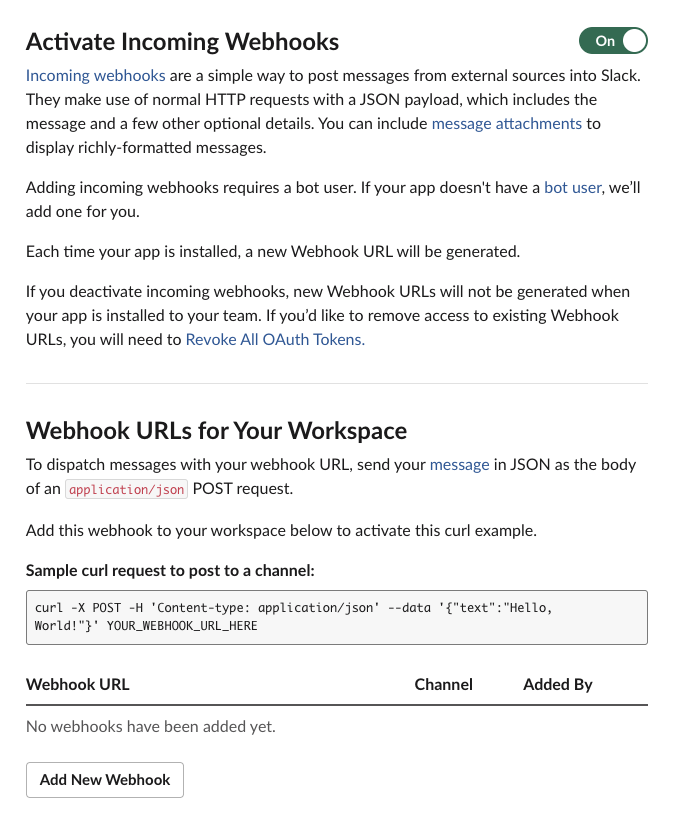
Open Incoming Webhooks in the app settings. Flip the toggle on, then use Add New Webhook below the curl example to continue.
- 4
Authorize it into a channel
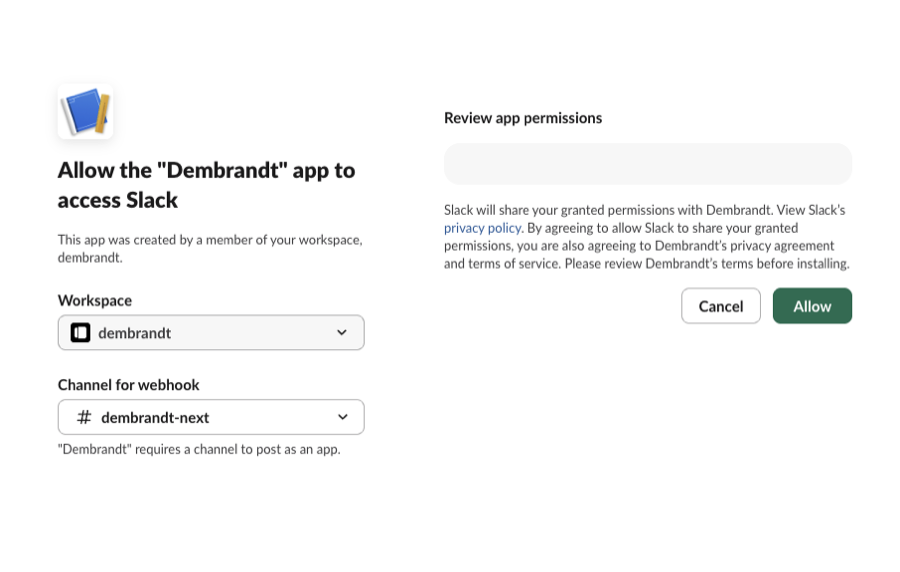
Pick the channel your team actually watches.
- 5
Copy the webhook URL
It's under Webhook URLs for Your Workspace. Store it as a CI secret, SLACK_DRIFT_WEBHOOK_URL.
Save this as .github/scripts/slack-drift-notify.sh in your repo (next to the drift-gate workflow from the prerequisite recipe) and make it executable: chmod +x .github/scripts/slack-drift-notify.sh
One Slack message per deploy when drift is detected. Silent when the site matches baseline.