Keep every release true to your brand
The CLI extracts design tokens from any site. The Dembrandt App turns them into a tracked, scored record. Pin a baseline, push a snapshot from CI on every release, and get a diff of everything that shifted.
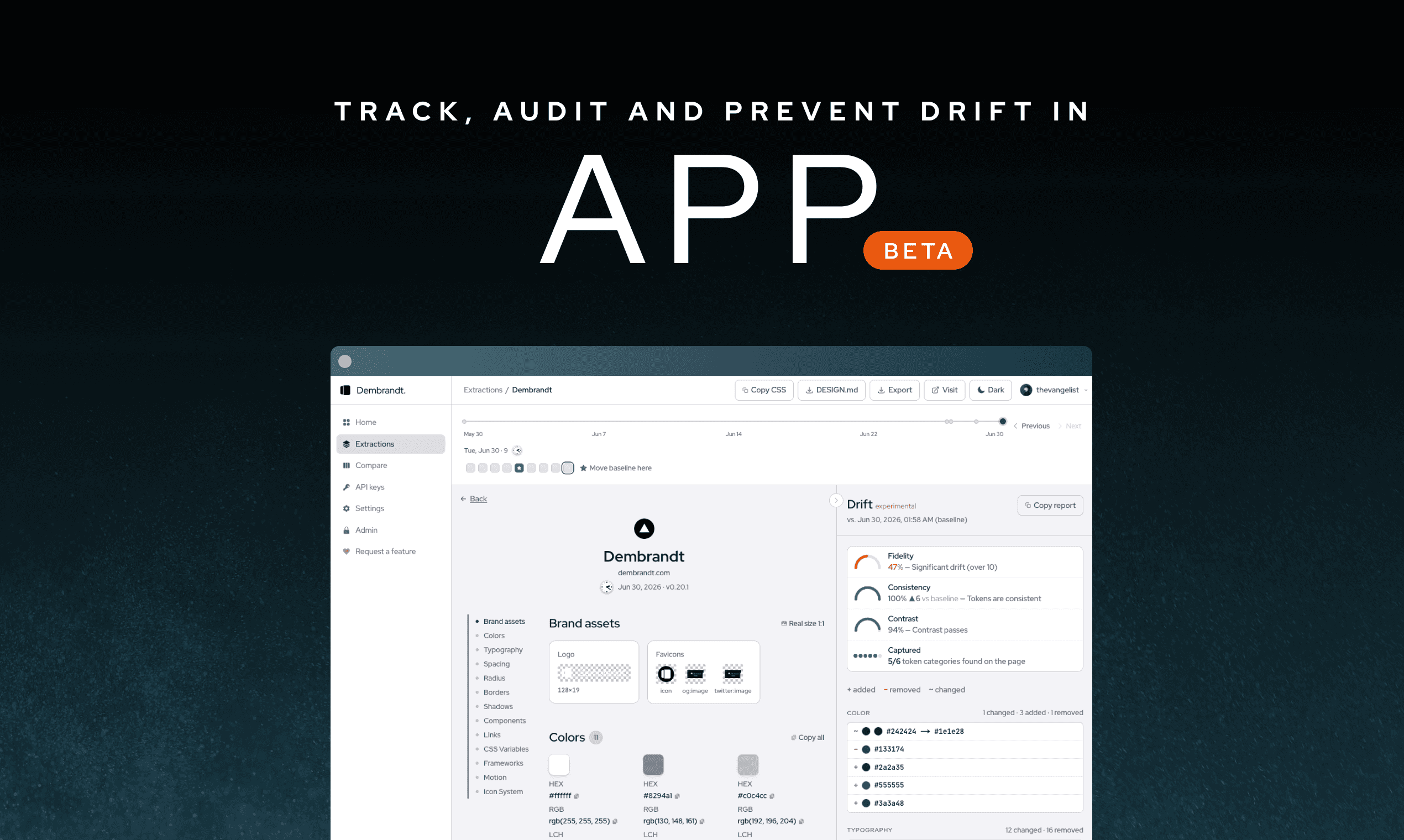
What the App does
Sync from CI
Generate an API key, pass it to the CLI with --key. Every run uploads a snapshot to your account and scores it against the previous one.
Baseline pinning
Mark any snapshot as your reference. Every new extraction is automatically scored against it.
Health scores
Each snapshot gets a Fidelity, Consistency and Contrast score, with a category breakdown: colors, type, spacing, radius, shadows.
Snapshot timeline
Every extraction is stored with a timestamp and browsable on a per-domain timeline.
Compare side by side
Load two brands, releases, or surfaces into one view and compare their tokens column by column.
Copy and export
Grab any value into Copilot, Claude, or Cursor, or export the whole system as CSS variables, DESIGN.md, or JSON.
How it works
- 1
Get an API key in the App and pass it to the CLI: dembrandt <url> --key dmb_…. Every run uploads a snapshot and scores it. Or drag a JSON extraction in for a one-off audit.
- 2
Set a ★ Baseline snapshot using the header button. The first one is set automatically, and every new run is scored against it.
- 3
Read the Drift panel: Fidelity, Consistency and Contrast scores, then the per-token changes by category (colors, type, spacing, radius, shadows).
- 4
Open Compare to put two brands or releases side by side, token by token.
- 5
Copy the report or export DESIGN.md, CSS or JSON. Share the exact before/after values, or paste them into your AI editor to fix the drift. In CI, --compare exits non-zero so off-brand changes never merge.
What to do with the findings
- Compare values against your Figma variables or brand guide and flag anything that drifted.
- Share the exact before/after values with your team. No more guessing what changed.
- Paste the drift report into Copilot, Claude, or Cursor and ask it to fix the inconsistencies.
- Run extractions before and after a release as a lightweight visual regression check.
Where it pays off
Catch drift before users do
Run it on every release as a lightweight visual regression check. Off-brand changes get flagged in review, not in production.
Audit any brand in seconds
No digging through DevTools, no access required. A manual brand audit that used to take an afternoon becomes a single command.
Govern many brands at once
Agencies and platform teams keep every client and product line on-brand from one account, scored against its own baseline.
Keep AI-generated UI on-brand
Agents ship UI faster than anyone can review it. Dembrandt is the check that keeps what ships true to the brand.